
To get full utilization of Easy Controller 5.12, you need to upgrade to Easy Server 7.7.1.1
This 5.12 release supports controllers running on a 64-bit OS. If you are running an older 32-bit controller with Win 7 IOT, you will need to use the latest 5.11 32bit release.
Breaking changes
- AudioPort ID new algorithm + avoid processing duplicate ports in webservice client updates.
If you are using an integration that submits commands to the easycontroller referencing audioports, you may need to update the integration as the audioport IDs may change. This change was done to avoid multiple audioports potentially sharing the same ID.
Enhancements
- Improved image quality when using Controller from Easy Server or Remote session.
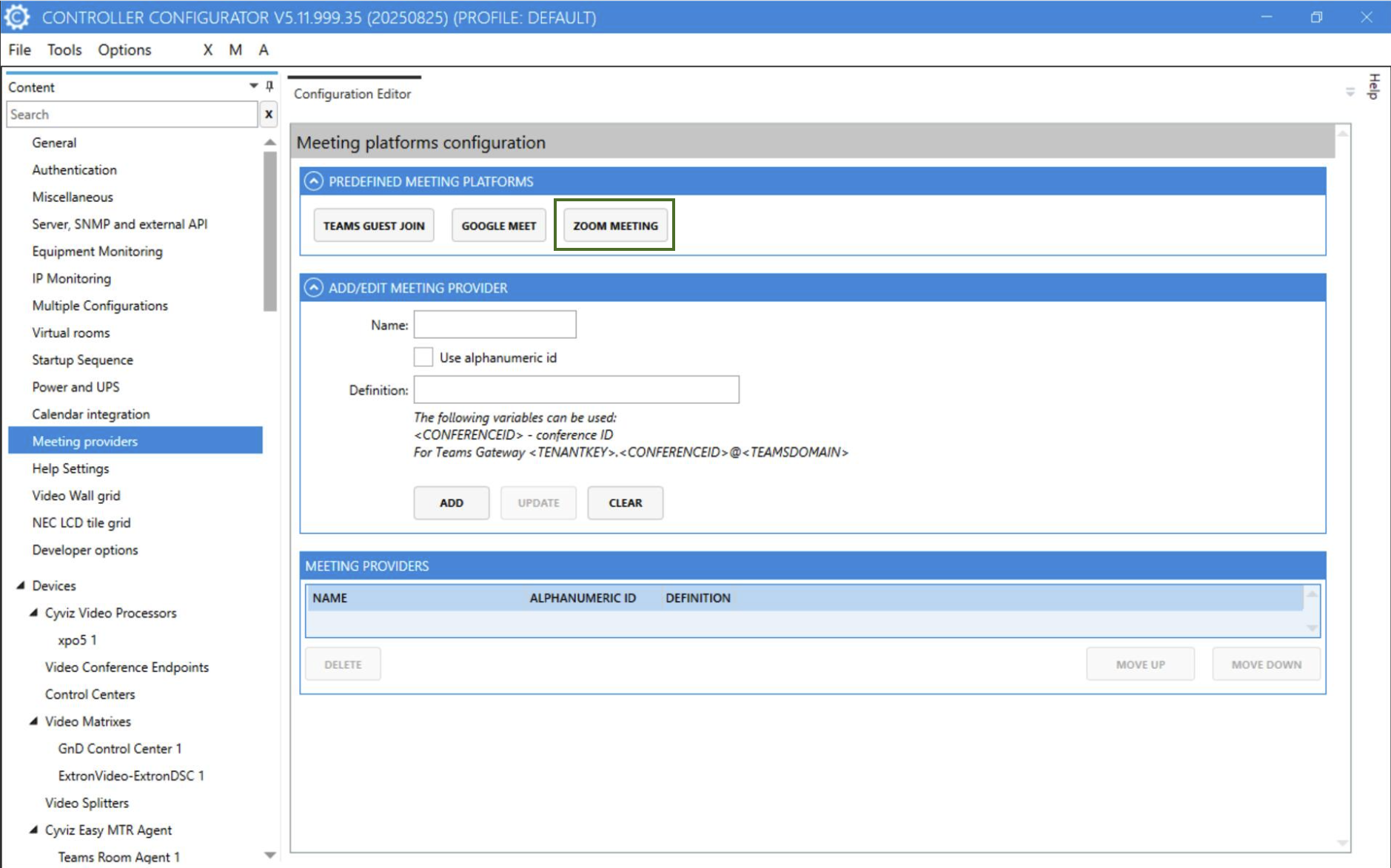
- Support for joining Zoom meeting from Easy Controller using Cisco Codec.
Added ability to join Zoom meetings as guest from Easy Controller using Cisco Codec if Codec is configured to support it.
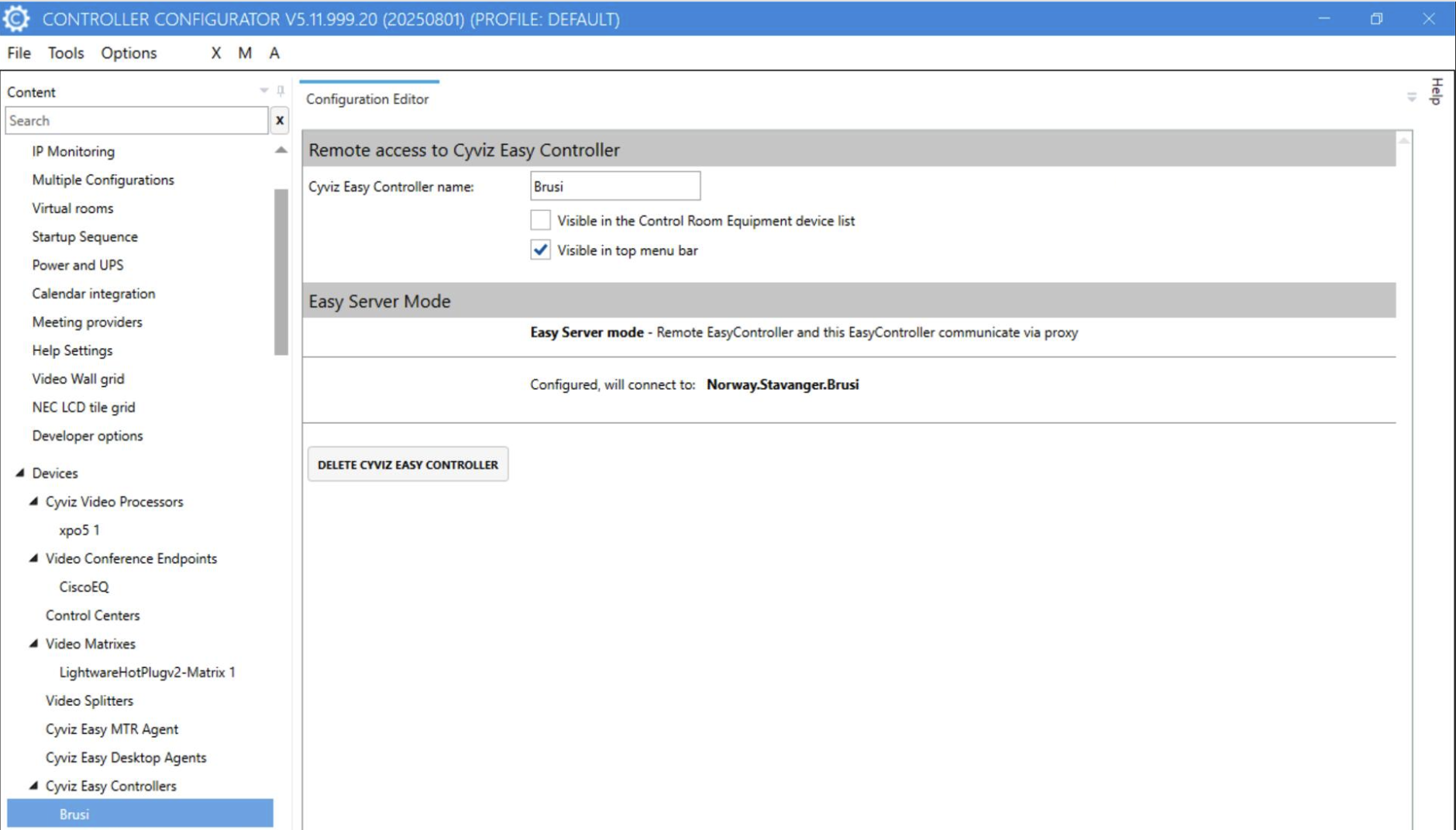
- Remote into Easy Controller from other Controllers (Easy Server 7.6.1.0 or later required).
Added feature to remotely use Easy Controller from other Controllers. Open your Easy Server instance > Go to “System activation” > “System Controller Bindings” > Select controllers to bind and use type Controller. This will give you an 8-digit activation code. Use this code in the configurator in the section showed below.
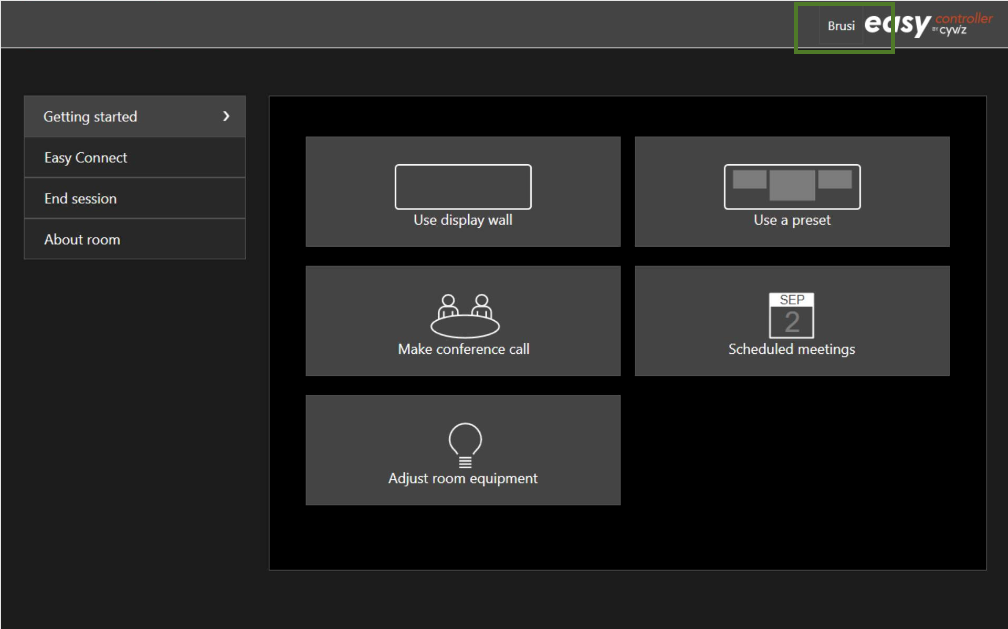
When you launch the application, you’ll find a connection button in the top-right corner that allows you to remotely access another Controller.
- Disable camera tracking option for Televic based conference systems.
Added ability to enable / disable camera tracking for Televic conferencing systems. It can be enabled / disabled from Conference preferences page.
- Added actions to clean session and start a new call after a call ends.
Added two new options on Call Control page. It allows user to Clean Session or start a new meeting without resetting camera settings from Call Control page. User should see this option when a call ends. (Applicable to room equipped with codecs)
- Sony visca camera tracking on, off, reset button.
Ability to start, stop or reset tracking for Sony Visca cameras. Reset tracking helps user to restart tracking if camera doesn’t stop tracking a person who has left the stage.
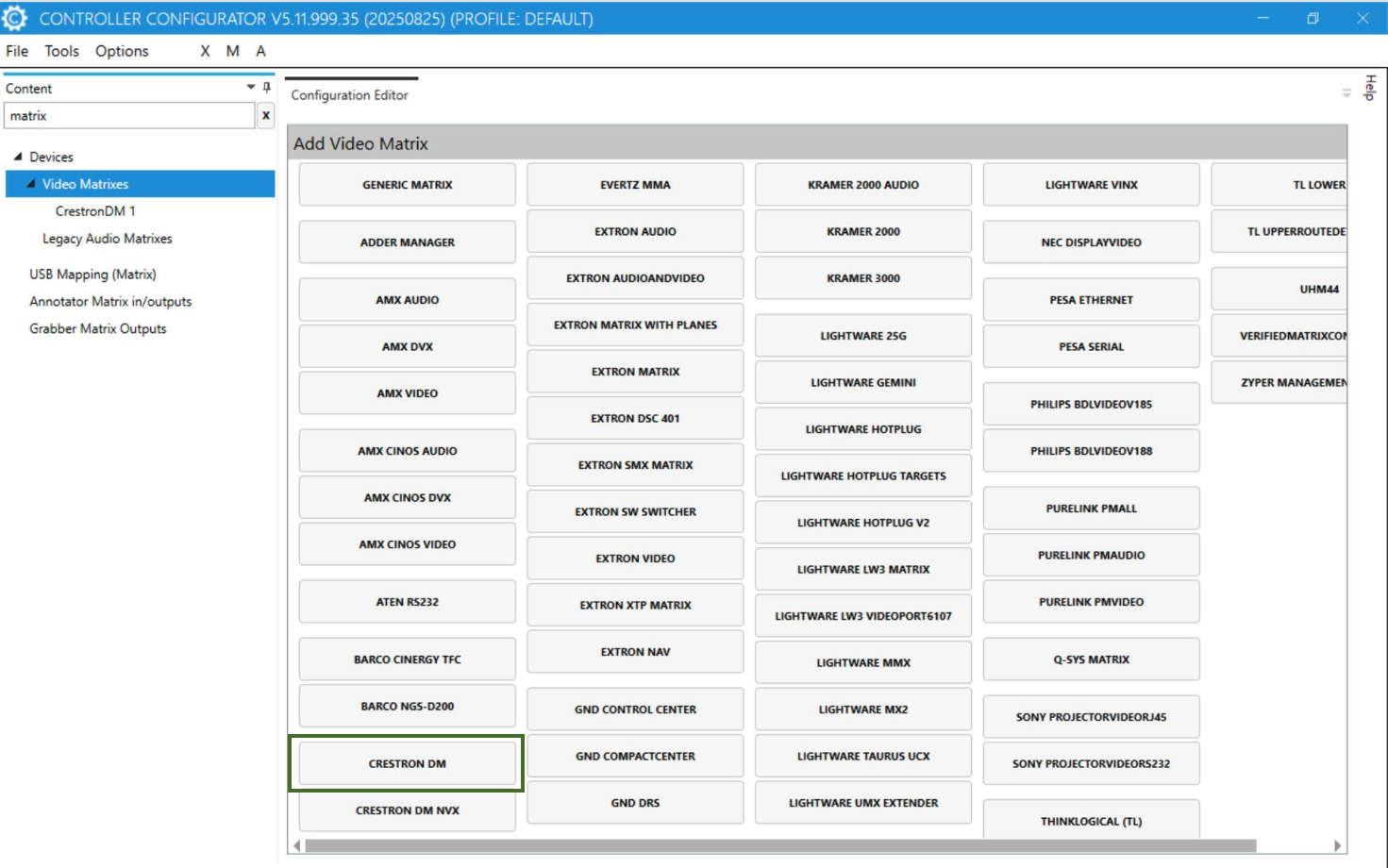
- CrestronDM integration.
Added integration to control Routing on CrestronDM matrices. This matrix has been discontinued by manufacturer but this is to facilitate customer who already have old matrices.
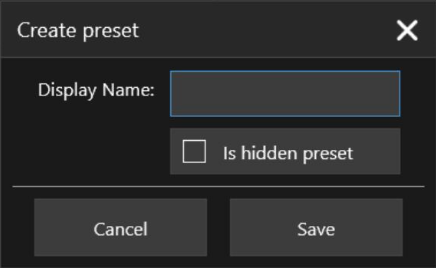
- Add possibility to hide camera presets.
Sometimes camera presets are added to be triggered by system automatically and are not really meant for user to trigger. Showing all presets under Camera control page was causing confusion for user to differentiate between user defined presets and system presets. This should allow user to hide presets which are not meant for room users.
- Possibility to reconfigure MTR with new Pin.
Added ability to reconfigure an already configured MTR system without having to remove it and then add it again. It should help installers to reconfigure MTR without loosing configuration.
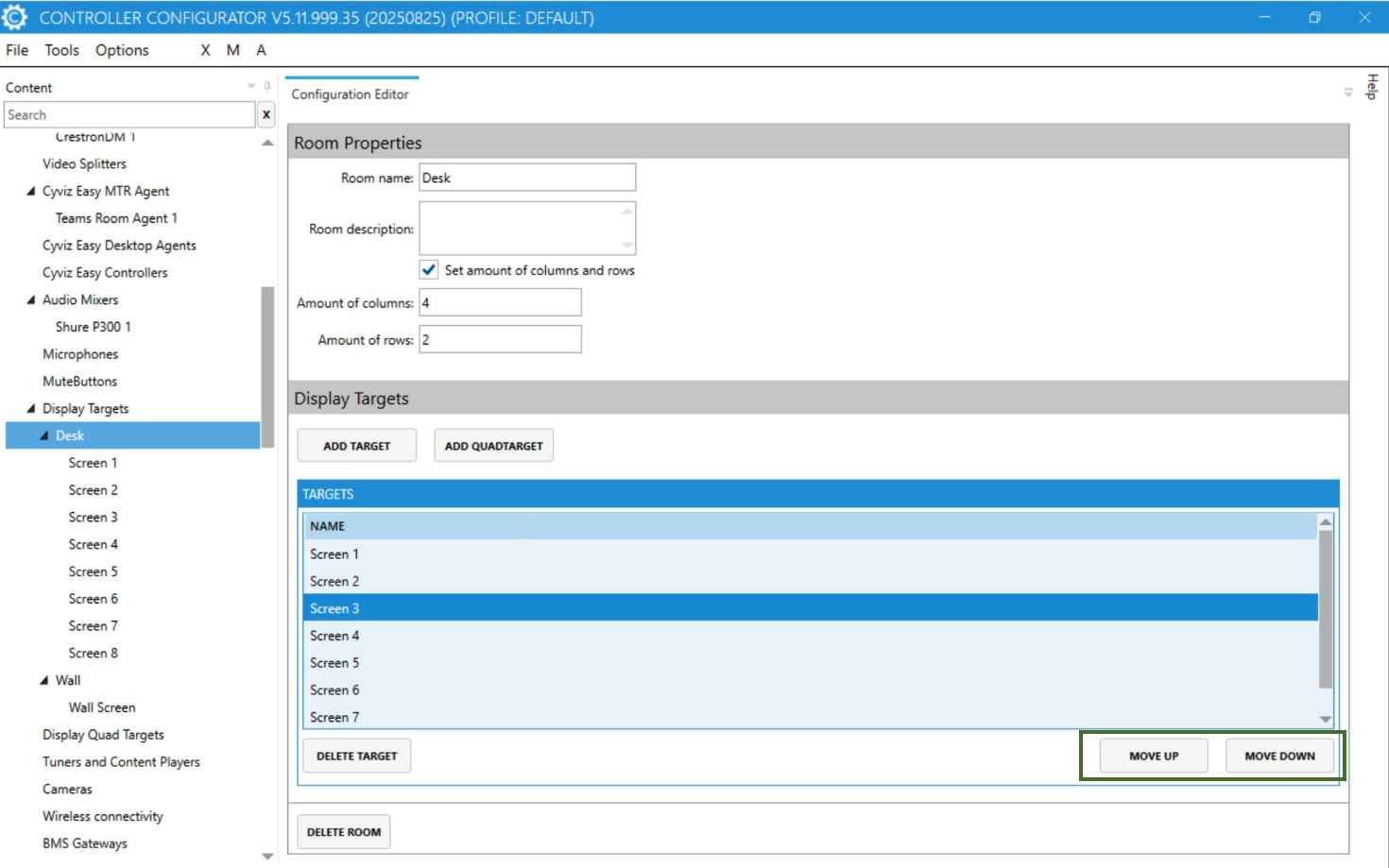
- Implement Targets and Target Rooms rearrangement configuration.
Previously it was not possible to rearrange Targets once they are configured. This should allow user to rearrange Rooms and Targets without removing them.
- Support for Lightware MX2M Series.
Extended existing Lightware MX2 implementation to support Lightware MX2M command structure. “Always use dedicated audio channel” option under Lightware MX2 device should allow MX2 implementation to control Lightware MX2M series.
- New Controller Registration (Requires Easy Server 7.7.1.1).
Register your new system on the Easy Server from the System Activation page. You will receive an activation key and activation URL. Enter this information in the Network & Server section of Controller Admin Tools.
- Update in GND Implementation.
GND implementation previously was using CPU and CON names. That now uses Device IDs instead of names.
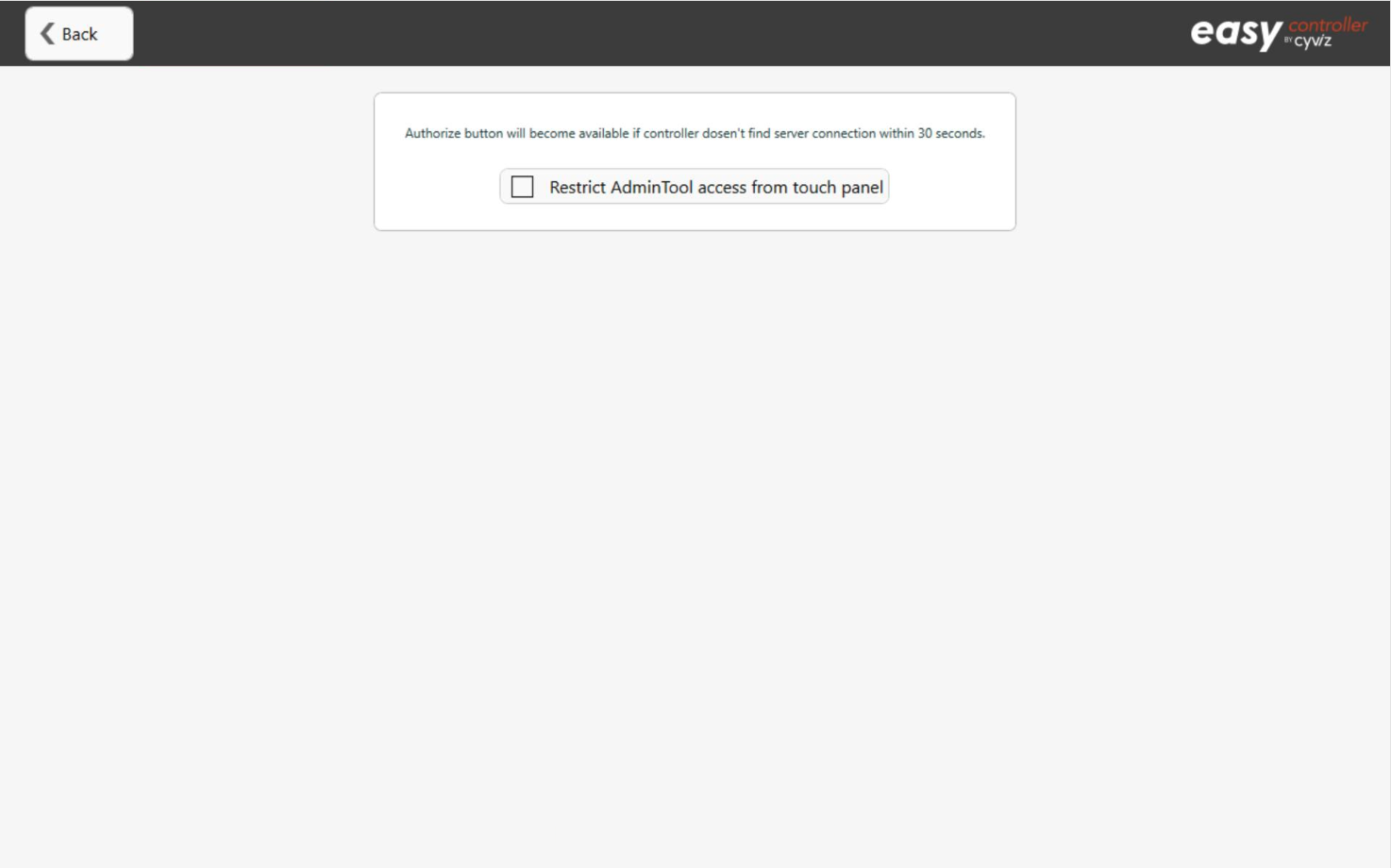
- Option to access Configurator and AdminTools only from Server.
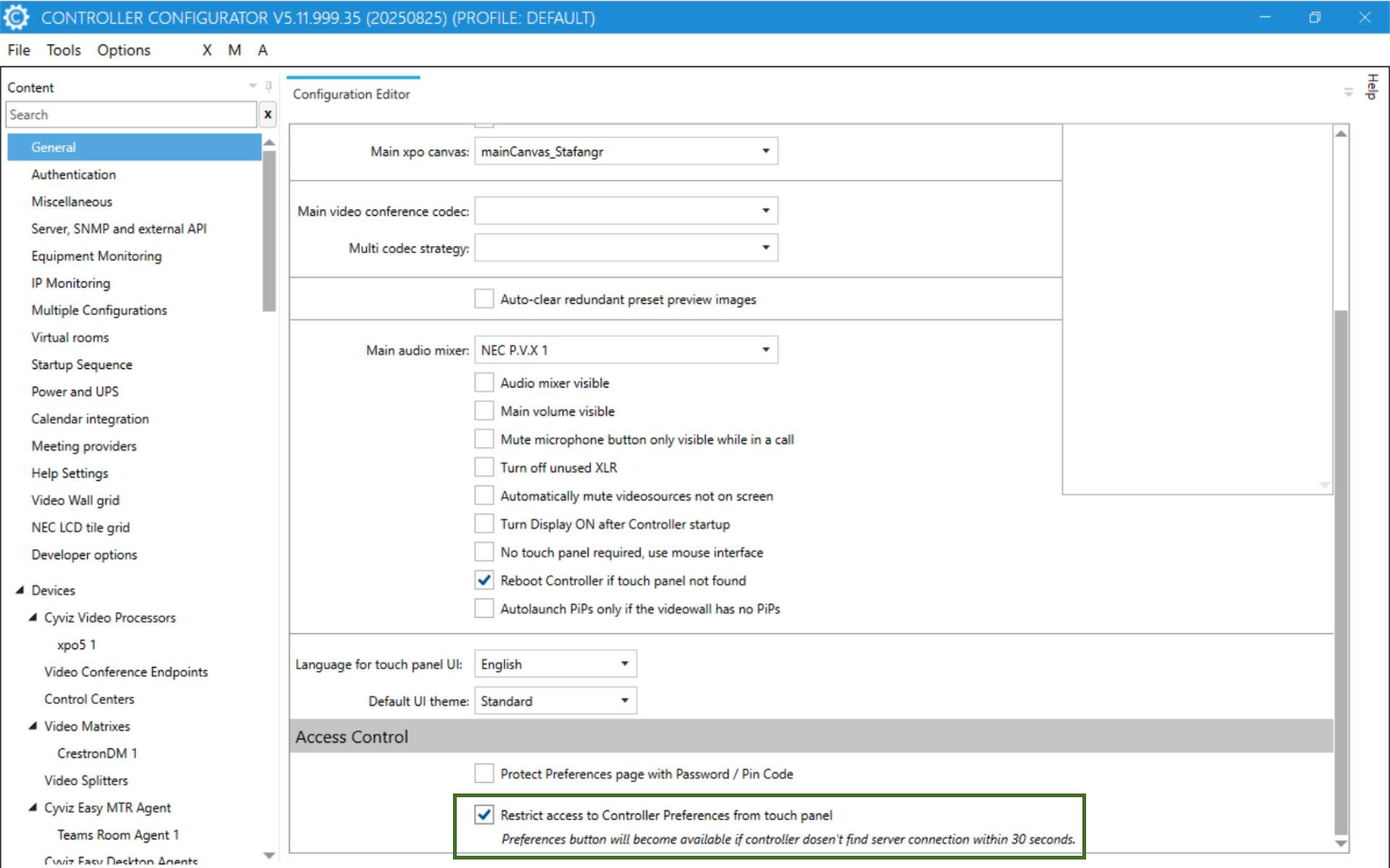
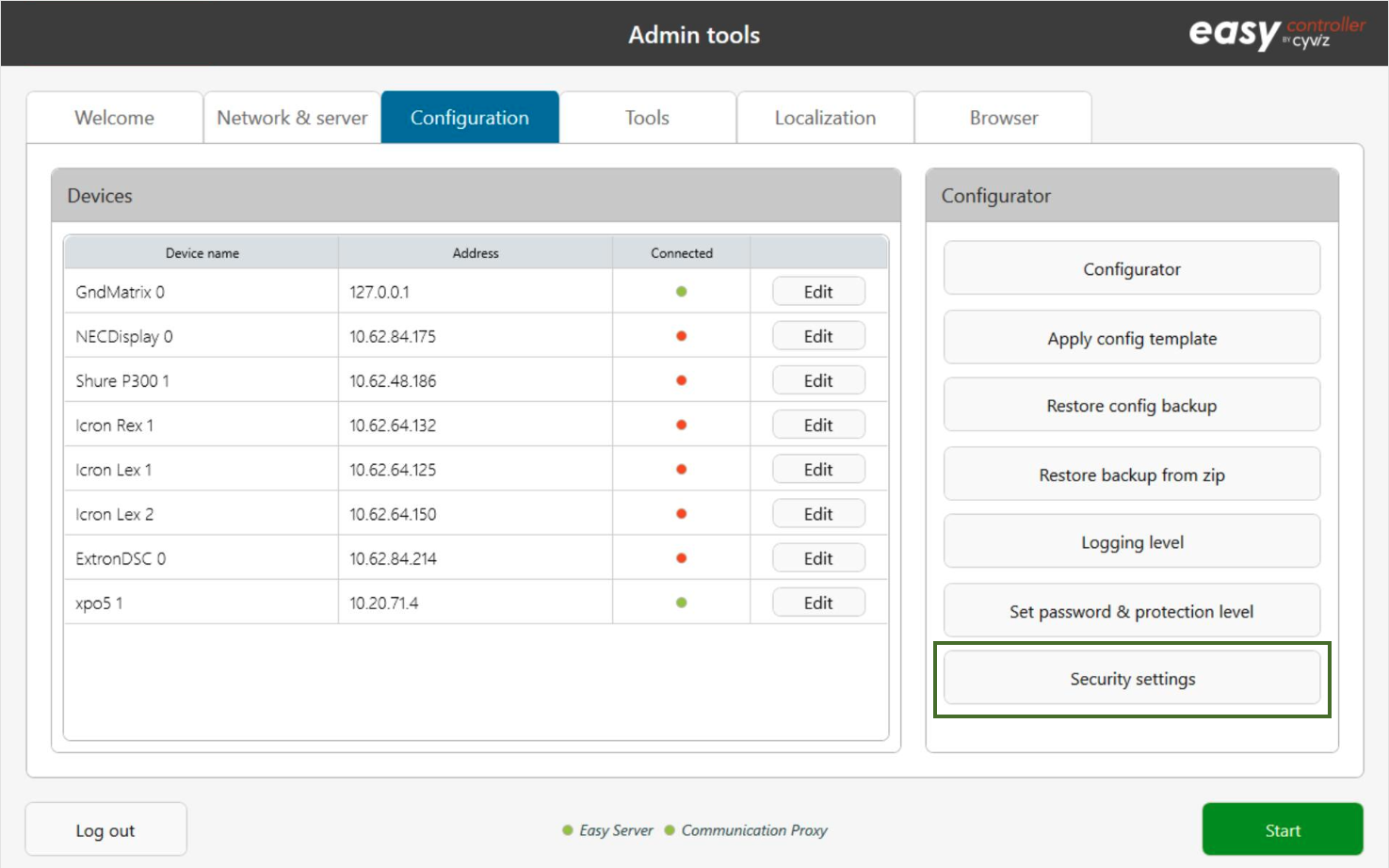
To make Easy Controller more secure, a new hardening level is introduced to keep unauthorized users from accessing Preferences, AdminTools or Configurator. Easy Server user with certain privileges should be able to access secured areas of Easy Controllers.
Restrict preferences access is done in the configurator.
Restrict “Admin tools” access is done from the Admin Tools.
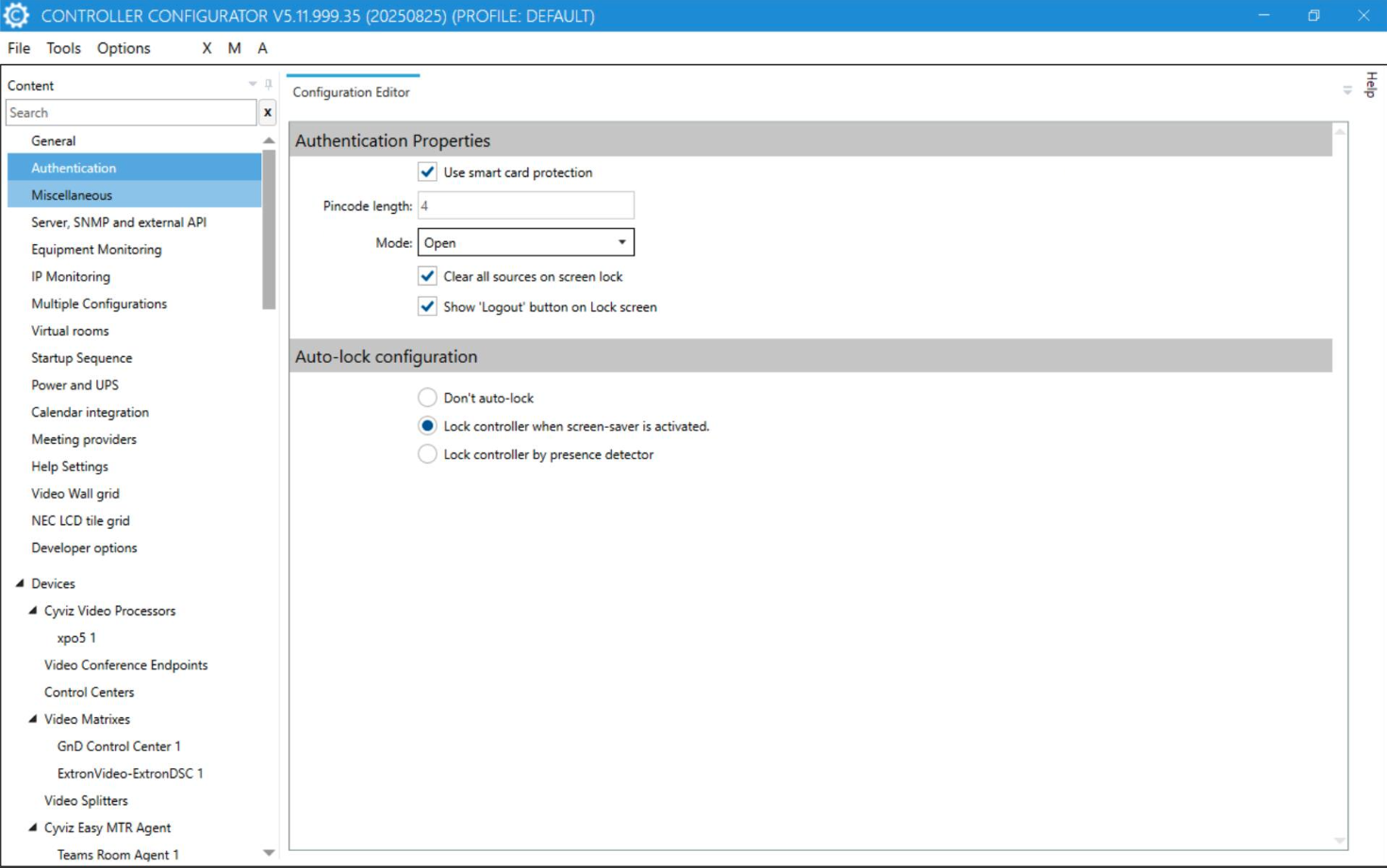
- Smart Card based Authentication (Requires Easy Server 7.7.1.1).
Ability to lockdown access Controller unless authenticated with a Smart Card + Pin Code. Controller should be connected to server in order to use this feature. Server and Pin Code records are maintained on server. A Controller can be setup to be in Open or Closed mode. In Open mode, Controller is usable with publicly available source whereas Closed fully locks down Controller and is not accessible unless authenticated.
- Source packages defined on Easy Server (Requires Easy Server 7.7.1.1).
Ability to pull source packages defined on server when using Smart Card authentication. It gives user more personalized experience and allows user to access Source from any Controller connected to the respective matrix.
- Matrix based Source Exclusivity for GND Matrix.
Added an option to route a source if source is already in use by someone else. It uses logic from within the Controller to determine if a route for a source exists on the matrix.
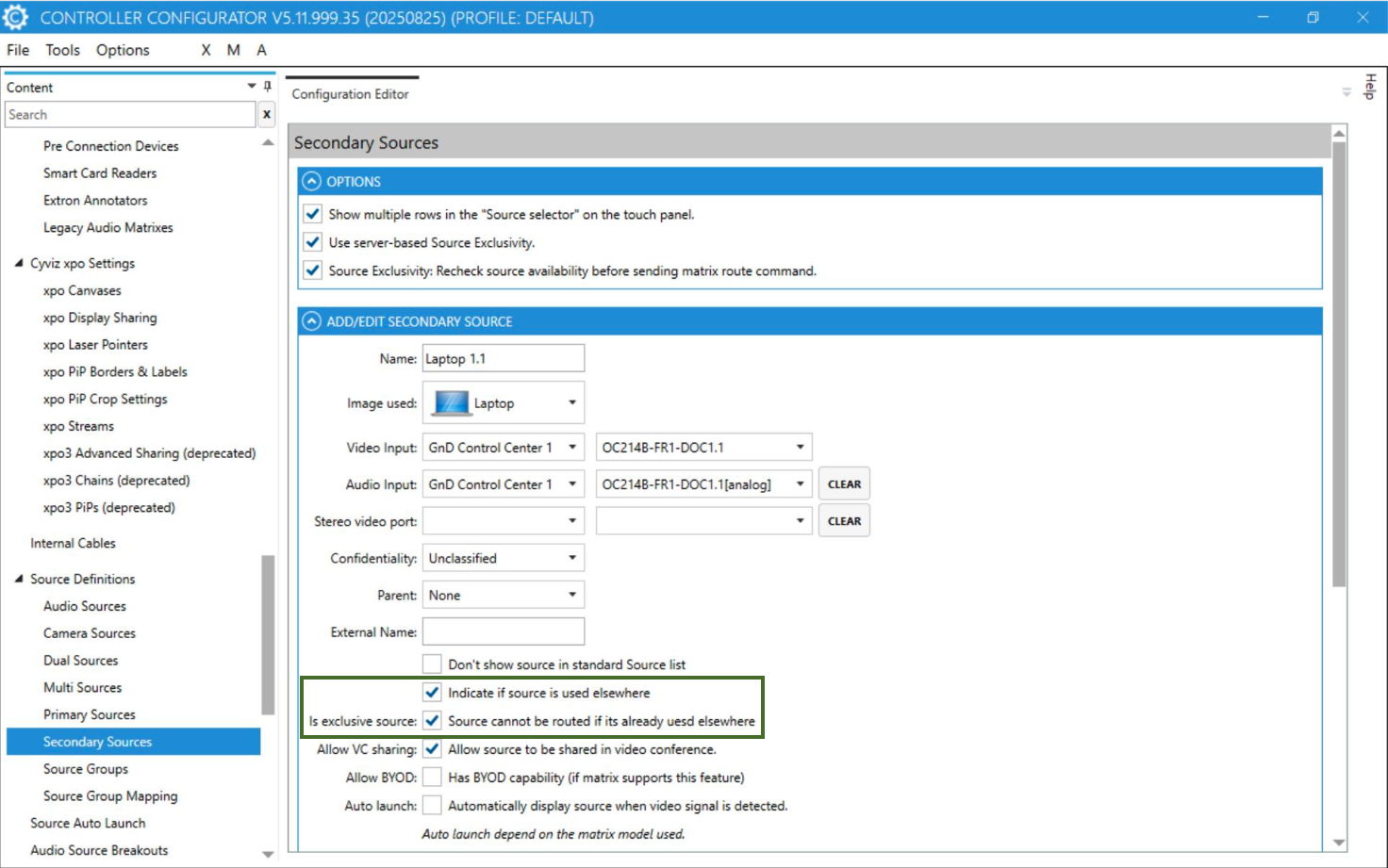
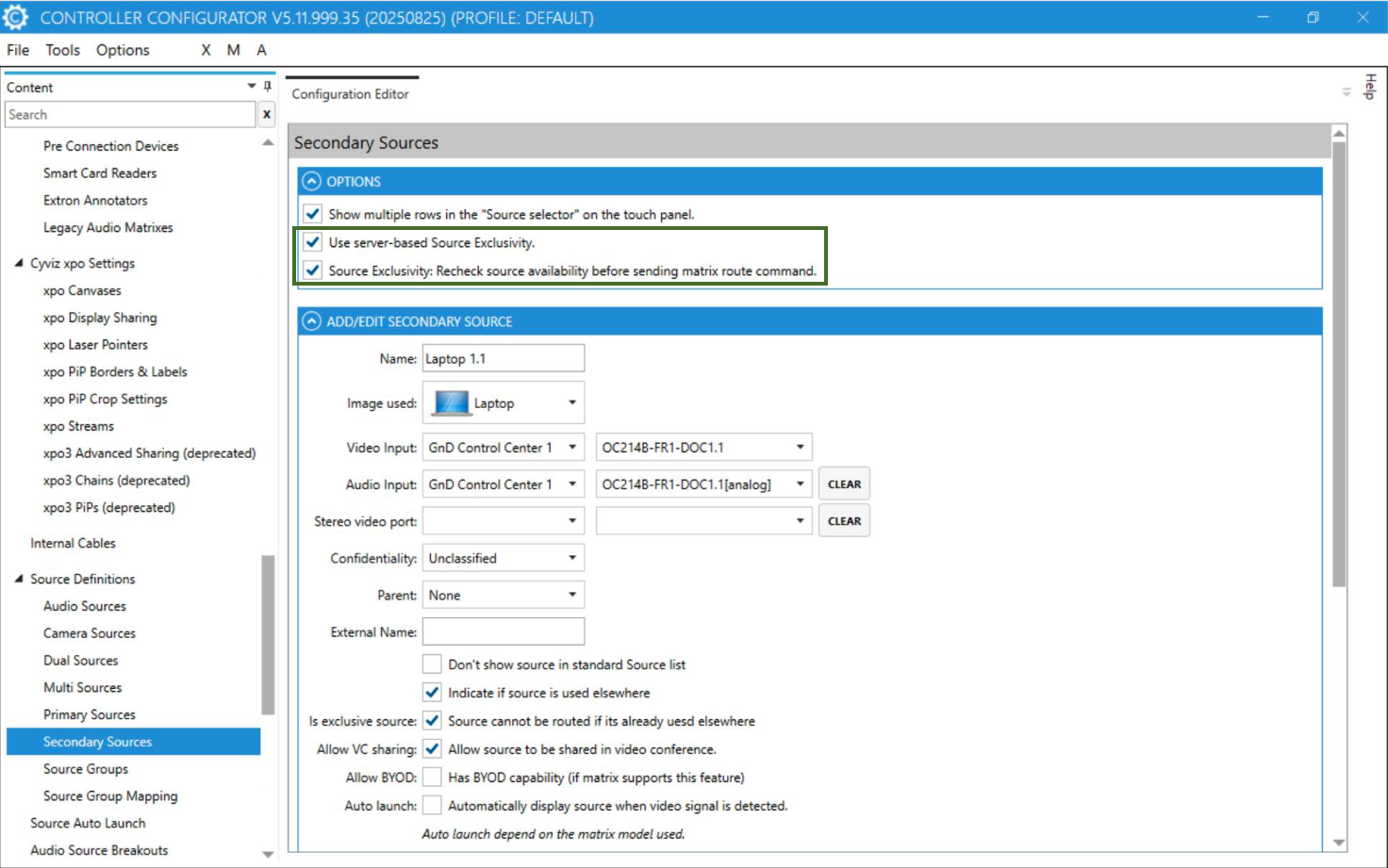
- Server based Source Exclusivity (Requires Easy Server 7.7.1.1).
Enables customer to restrict use of a source if its already in use by someone else. Unlike matrix-based exclusivity, Server based exclusivity doesn’t rely on routes on matrix, but it keeps track of routes on Easy Server. Server based exclusivity also allows user to see where and whom a source is used.
- Server based Source Exlusivity with solution binings. (Requires Easy Server 7.7.1.1)
A Cyviz room can potentially include several Cyviz solutions. For instance, you could have one main wall with a dedicated controller and additional desk solutions with their own dedicated controllers.
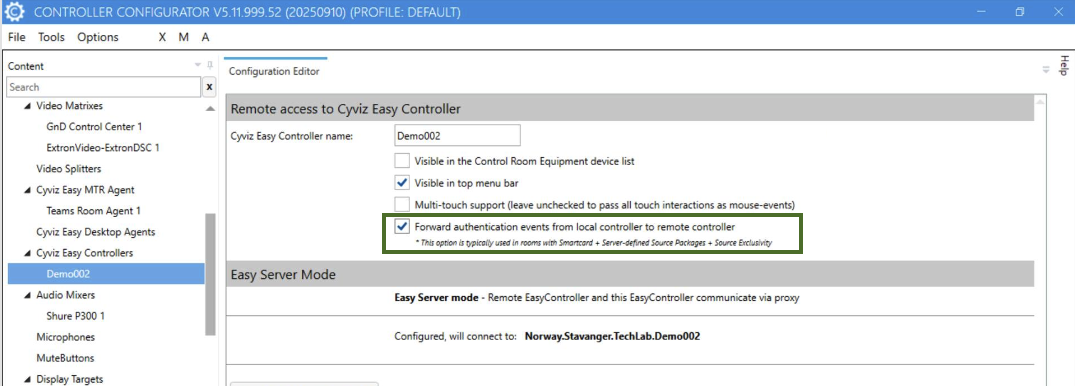
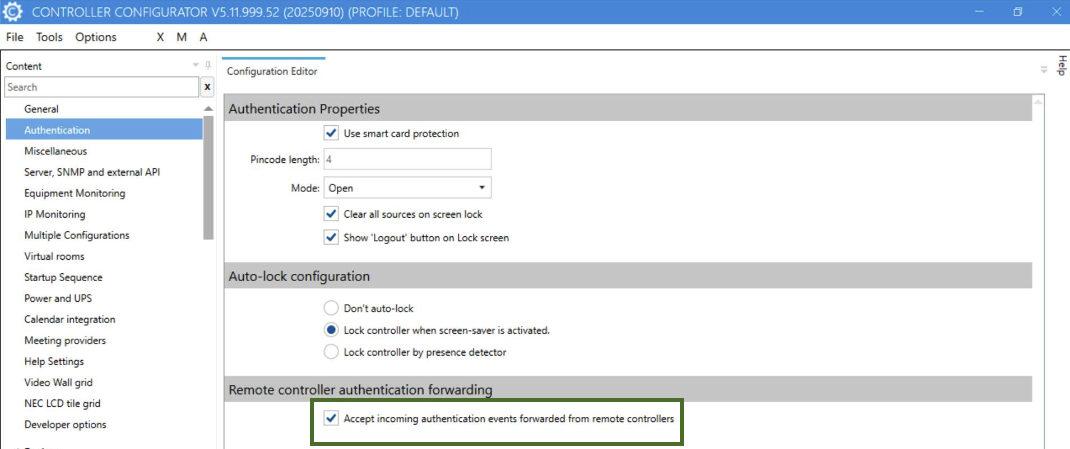
By binding the desk solutions to the main controller, you will be able to display exclusive sources from the desk directly on the larger main videowall.
- Source in-use indicator.
Added a new option to indicate on Controller if a source is already being used. It is lite version of Source Exclusivity but it doesn’t prevent user from using an already in use source.
- New Connection property to switch between http and https connections.
A configuration option is introduced to let user choose between http or https if device supports both http or https. It is not implemented for all devices yet but only for OneBeyond cameras. This option will help to standardize the way we choose between http or https.
- Renaming option for Crestron DM NVX Transmitter and Receiver.
Configurator now allows user to rename Crestron DM NVX transmitters and receivers.
- Lightware MX2, Alternate muting method for audio ports.
There has been a long-standing issue with Lightware MX2 matrices where matrix doesn’t respond to port mute and unmute commands. An alternate method is added in Easy Controller to use alternate muting method which is to send 0 to the output. This also eliminates the need of extra input port to reset the route. User can choose between old way of muting or new muting method.
